Scholar AI: Features, API Access and Limits
Table of Contents
- What Scholar AI does, in plain terms
- Scholar AI, Scholar AI ChatGPT, and Scholar AI GPT explained
- Verified ScholarAI research assistant capabilities and qualified claims
- Practical research and enterprise use cases
- Scholar AI architecture, prerequisites, and integration effort
- Academic research AI governance, security, and known limitations
- Repeatable Scholar AI verification and rollout checklist
- Conclusion
- What Scholar AI does, in plain terms
- Scholar AI, Scholar AI ChatGPT, and Scholar AI GPT explained
- Verified ScholarAI research assistant capabilities and qualified claims
- Practical research and enterprise use cases
- Scholar AI architecture, prerequisites, and integration effort
- Academic research AI governance, security, and known limitations
- Repeatable Scholar AI verification and rollout checklist
- Conclusion
What Scholar AI does, in plain terms
Scholar AI is an academic research AI product family for finding literature and patents, reading supported documents, generating source-based answers, and organizing material for later analysis. It accelerates research discovery and review, but users must verify every source and material claim. It can be accessed through ScholarAI’s web products, the Scholar AI GPT in ChatGPT, or an API that developers can connect to agentic applications.
Scholar AI can shorten literature discovery and document review, but users must still inspect the original publication. Its citations are retrieval outputs, not proof that a claim is accurate. A human must verify the title, authors, publication status, relevant passage, and support for the generated sentence.
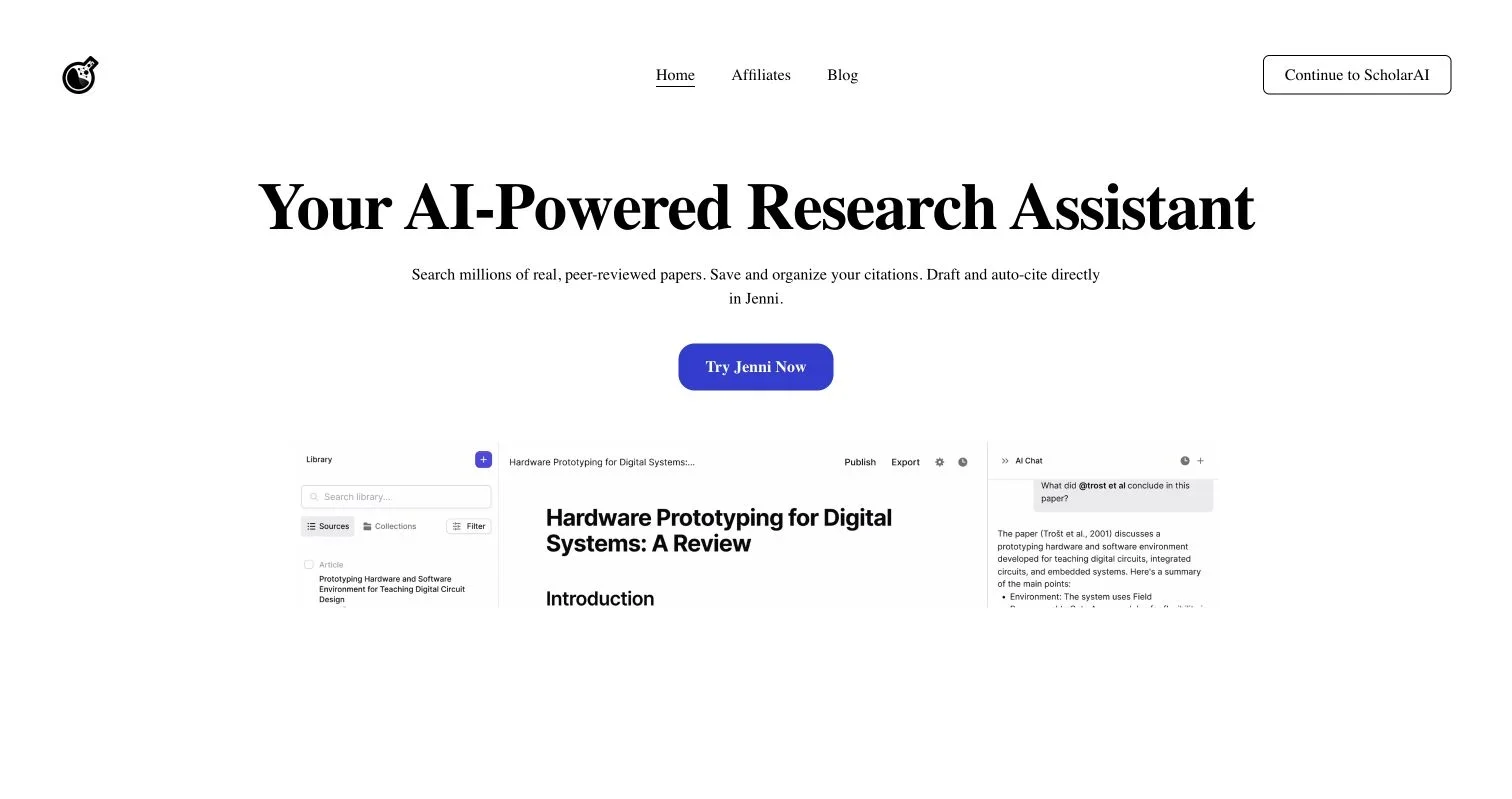
As of July 2026, the official ScholarAI website presents its paper-search technology as part of a broader research workflow that includes Jenni for writing and citation management. It also links to a ScholarAI web app, a Scholar AI GPT, and developer documentation. These products may differ in interface, data handling, cost, and administrative controls.
- Individual researchers can use conversational search and document analysis.
- Research teams can organize papers into projects and compare findings across documents.
- Developers can call search, full-text, PDF-question, patent, project, and citation endpoints.
- Enterprise buyers should treat security and compliance statements as claims to validate contractually, not as substitutes for due diligence.
Scholar AI, Scholar AI ChatGPT, and Scholar AI GPT explained
The similar names can confuse product evaluation. “Scholar AI” is commonly used as a generic phrase, but this guide concerns ScholarAI, the product operated at scholarai.io.
| Name | What it refers to | Official access path | What to verify |
|---|---|---|---|
| ScholarAI website and app | The vendor’s research workspace and account environment | scholarai.io and its linked app | Current feature availability, upload limits, retention, and plan terms |
| Scholar AI GPT | A custom GPT that calls ScholarAI capabilities from ChatGPT | The official site links to its GPT listing | Publisher identity, ChatGPT plan requirements, and data flow through both providers |
| Scholar AI ChatGPT integration | The workflow created when ScholarAI is used inside ChatGPT | Official GPT or a custom GPT configured with the API | Which system stores prompts, documents, and generated answers |
| ScholarAI API | Authenticated endpoints for embedding research functions in software | Official API documentation | Rate limits, credits, endpoint behavior, error handling, and service commitments |
| Jenni workflow | A separate research-writing workspace now promoted on the ScholarAI home page | The Jenni links provided by ScholarAI | Separate terms, subscriptions, controls, and citation behavior |
An older ScholarAI plugin should not be confused with the current GPT. The vendor states that the plugin was replaced after OpenAI discontinued ChatGPT plugins in 2024. For new deployments, use the current official website instead of old tutorials or unverified GPT Store results.
The current site describes an academic research AI workflow that searches peer-reviewed papers, saves and organizes citations, and supports drafting in Jenni. Its homepage also says the research workspace can consult uploaded PDFs and import Zotero or Mendeley libraries. Test these vendor claims in the intended interface and plan.
Product screenshot published on the official ScholarAI website. Interface details may change.
Verified ScholarAI research assistant capabilities and qualified claims
ScholarAI’s API feature documentation divides the product into search, document extraction, and document management. It provides the clearest description of current developer capabilities.
| Capability | Current documentary support | Qualification |
|---|---|---|
| Semantic paper search | Documented search over titles and abstracts, with ranking by similarity, citation count, or publication date | A relevant result is not automatically a reliable or peer-reviewed result |
| Paper metadata | Results can include title, authors, abstract, date, citation count, URL, Semantic Scholar ID, and DOI | Metadata can be incomplete, stale, or inconsistent across databases |
| Generative answers | The paper-search endpoint documents an optional generative mode | Generated text can overstate or misread retrieved evidence |
| Full-text extraction | A documented endpoint retrieves paper text in chunks from a PDF identifier | Publisher access, copyright restrictions, parsing errors, and missing text can block extraction |
| PDF questions | The API can retrieve document sections relevant to a question | Retrieval may omit contradictory passages, tables, appendices, or context |
| Project analysis | Projects can hold PDFs and support analysis across selected documents | The documentation says projects presently store PDFs, so test other format claims separately |
| Patent search | A documented endpoint searches patents using keywords | Patent relevance and legal status require specialist database checks |
| Zotero export | A documented endpoint saves a DOI-based citation using Zotero credentials | Bibliographic fields and attachments should be checked after export |
| API and MCP integration | The vendor publishes API documentation and an MCP setup path | Production readiness, support, versioning, and tenancy controls require direct validation |
Document handling requires caution. ScholarAI says its OCR can read scanned PDFs and isolate images, but its own documentation identifies weak figure-label recognition. It also notes that publisher controls and open-access rules can prevent extraction. A polished summary may still rely on incomplete text.
The vendor’s developer page advertises a corpus of more than 200 million papers, patents, and citations, as well as HIPAA and SOC 2 support. Verify these procurement claims by requesting audit scope, report dates, covered systems, subcontractors, and required configurations. A logo or FAQ answer is not an assurance package.
Practical research and enterprise use cases
Scholar AI works best for retrieval and triage, not as an unsupervised authority on scientific truth.
- Literature discovery: Find candidate papers using a natural-language question, then filter by date, relevance, publication type, and citation count.
- Evidence briefing: Produce a preliminary summary of what selected papers report, with links for manual review.
- Document interrogation: Ask a narrow question about an uploaded PDF and use the answer to locate relevant sections.
- Prior-art exploration: Search patents and academic literature before handing promising results to an IP professional.
- Research monitoring: Run repeatable queries for new publications, provided the application records dates, parameters, and result changes.
- Internal knowledge tools: Embed ScholarAI search in a product, Slack-style bot, analyst portal, or agent through the API or MCP server.
- Citation transfer: Send a located paper to Zotero, then validate its bibliographic record.
A product team could use ScholarAI to assess evidence for a medical-device feature. The team could use ScholarAI to locate reviews and recent trials, save candidate papers to a project, and ask the same evidence question across the set. The deliverable should include more than the generated answer:
- The exact search query and execution date
- Inclusion and exclusion criteria
- DOI or stable URL for every cited source
- The passage supporting each material claim
- Publication type and peer-review status
- A note about inaccessible or unsuccessfully parsed papers
- Human approval by someone qualified to interpret the evidence
This workflow is slower than copying a chatbot response, but its extra friction improves reliability.
Scholar AI architecture, prerequisites, and integration effort
Scholar AI offers three deployment patterns based on the organization’s required control.
| Approach | Best fit | Prerequisites | Setup effort | Main trade-off |
|---|---|---|---|---|
| Official Scholar AI GPT | Individual exploration and low-risk pilots | ChatGPT access and permission to use custom GPTs | Low | Least control over combined vendor data flows |
| ScholarAI web workspace | Researchers managing papers and citations | ScholarAI account, approved upload policy, and suitable plan | Low to moderate | Convenient, but administrative controls need validation |
| API or MCP integration | Product features and governed internal agents | API key, credit budget, application code, logging, and security review | Moderate to high | More control, with more engineering and operational ownership |
The API uses a ScholarAI API key in the X-ScholarAI-API-Key header. Its access documentation describes a 25-request-per-minute limit during alpha testing and warns that the limit may change. Do not design capacity around that number without obtaining current production terms.
A production integration needs:
-
Query preparation. Normalize the user’s question, apply date and publication filters, and retain the original request for audit purposes.
-
Retrieval. Call paper, patent, or document endpoints and retain stable identifiers such as DOI, Semantic Scholar ID, or PDF URL.
-
Document processing. Fetch permitted full text, record extraction failures, and separate OCR-derived text from publisher metadata.
-
Generation. Ask the model to distinguish direct evidence, inference, and missing information. Require source links in the output schema.
-
Verification. Resolve identifiers independently and compare generated statements with the source passage.
-
Observability. Log endpoint, query, timestamp, returned identifiers, latency, cost unit, model or service version when exposed, and reviewer decision.
-
Fallbacks. Define behavior for zero results, inaccessible PDFs, rate limits, conflicting metadata, and API failure. “Answer anyway” is a poor fallback.
API consumers should pin supported schemas, protect keys in a secrets manager, set per-user budgets, and test malformed or adversarial documents. MCP simplifies tool connection but does not provide authorization, monitoring, or data-loss prevention.
Academic research AI governance, security, and known limitations
ScholarAI’s privacy policy says submitted content can include prompts, conversations, projects, uploaded documents, and extracted text. It also says queries and documents may be sent to AI and document-processing providers, while search queries and paper identifiers may go to academic and patent services. The policy identifies US-based infrastructure and describes encryption in transit and at rest.
That information starts, but does not complete, a review. Before employees upload unpublished research, personal data, protected health information, or licensed content, obtain answers to these questions:
| Item | What to Check | Why It Matters |
|---|---|---|
| Data classification | Which document classes users may upload | Prevents confidential or regulated data from entering an unapproved system |
| Subprocessors | Current AI, OCR, analytics, identity, and hosting providers | Data may leave the primary vendor’s environment |
| Retention and deletion | Project deletion, account deletion, caches, logs, and backup expiry | UI deletion may not mean immediate removal everywhere |
| Model training | Whether customer prompts or files train any provider’s models | Affects confidentiality and contractual rights |
| Tenant isolation | Encryption boundaries and team-sharing behavior | Reduces cross-user or cross-customer exposure risk |
| Compliance evidence | SOC 2 report scope, HIPAA configuration, and BAA availability | Marketing language may apply only to certain products or contracts |
| Access control | SSO, MFA, roles, offboarding, API-key scope, and rotation | Enterprise deployments need manageable identities |
| Content rights | Publisher licences and permission to process uploaded PDFs | Technical access does not create a legal right to copy or analyze content |
| Incident response | Notification terms, support contacts, and recovery commitments | Research operations need a defined failure path |
Accuracy limitations matter as much as security. Search coverage is not universal. Citation counts are not measures of truth. Preprints may change or be withdrawn. OCR can damage equations, columns, footnotes, and figure references. A credible-looking real citation may not support the model’s claim, making it more dangerous than an invented one.
For clinical, legal, regulatory, or investment decisions, use Scholar AI only for decision support. Require a qualified reviewer and preserve the evidence trail.
Repeatable Scholar AI verification and rollout checklist
Start with a bounded, real-work pilot; twenty carefully selected questions reveal more than a polished demonstration.
| Item | What to Check | Why It Matters |
|---|---|---|
| Product identity | Access begins at scholarai.io or its official documentation links | Avoids similarly named apps and unofficial GPTs |
| Test corpus | Known papers, obscure papers, scans, tables, and inaccessible documents | Exposes coverage and extraction limits |
| Search reproducibility | Query, filters, date, result order, and identifiers are recorded | Allows another reviewer to repeat the work |
| Citation validity | DOI or stable URL resolves and metadata matches | Detects fabricated or mismatched references |
| Claim support | Source passage directly supports the generated sentence | A real citation can still be irrelevant |
| Publication status | Peer review, preprint, correction, retraction, and version are checked | Scientific status can change after retrieval |
| Contrary evidence | Search deliberately includes conflicting findings | Reduces confirmation bias |
| Document completeness | Missing pages, OCR errors, tables, appendices, and supplements are noted | Partial extraction can distort conclusions |
| Security controls | Upload rules, retention, subprocessors, access, and contracts are approved | Protects sensitive research material |
| Cost behavior | Credits or API consumption are measured by task type | Marketing plan labels do not predict workload cost |
| Operational behavior | Rate limits, timeouts, retries, and support response are tested | Determines whether the service fits production workflows |
| Human sign-off | Named reviewer approves high-impact outputs | Keeps accountability with the organization |
Verify every consequential answer:
- Open every cited URL rather than trusting the displayed title.
- Match title, authors, year, journal, DOI, and publication version.
- Check for corrections, expressions of concern, and retractions.
- Locate the precise passage, table, or figure supporting the claim.
- Read the surrounding methods, population, limitations, and statistical context.
- Label the output as direct evidence, synthesis, or inference.
- Search for credible contradictory evidence using a deliberately different query.
- Record the reviewer, decision, and verification date.
During rollout, compare baseline and assisted research time while tracking citation precision, unsupported claims, extraction success, reviewer correction time, and cost per accepted deliverable. Speed without error measurement is a vanity metric.
The public pricing page lists free, individual, credit-package, and contact-based team options. Prices, credit behavior, and displayed upload allowances require current confirmation. Record a dated quote for procurement and run a representative workload before forecasting annual cost.
Conclusion
Scholar AI is a credible ScholarAI research assistant for research discovery, PDF interrogation, citation handling, and API-based AI research agent workflows. The Scholar AI GPT enables faster experimentation; the API allows more controlled integration. Neither route turns generated prose into verified evidence.
Use Scholar AI to find and organize material, with source verification built into the workflow. Confirm security claims with documentation, test extraction against difficult files, measure citation support rather than citation presence, and keep a qualified human accountable for consequential conclusions.
Frequently Asked Questions
Which ScholarAI access option should I choose?
Use the Scholar AI GPT for low-risk experimentation, the web workspace for organizing papers and citations, and the API or MCP integration for governed applications. Before choosing, compare data handling, administrative controls, costs, and the engineering effort required.
What should I do before relying on a ScholarAI-generated answer?
Open each cited source and confirm its title, authors, DOI, publication status, and relevant passage. Check the surrounding methods and limitations, then search separately for corrections, retractions, and contradictory evidence.
Can I upload confidential or unpublished research to ScholarAI?
Only after your organization has approved the workflow for that data classification. Confirm retention, deletion, model-training practices, subprocessors, tenant isolation, access controls, and contractual protections before uploading sensitive material.
How should I handle incomplete or inaccurate PDF extraction?
Record extraction failures and compare retrieved text with the original document, especially for scans, equations, tables, figures, footnotes, and supplements. If important content is missing or distorted, review the source manually instead of allowing the system to answer from partial text.
What does a production ScholarAI API integration need beyond an API key?
It needs secure key storage, request logging, budgets, retries, schema validation, access controls, and defined fallbacks for missing results or inaccessible documents. Teams should also confirm current rate limits and service commitments rather than designing around temporary documentation values.
How can a team make ScholarAI research reproducible?
Save the exact query, filters, execution date, returned identifiers, inclusion criteria, and inaccessible sources. Preserve the passages supporting material claims and record who reviewed the result, what they decided, and when verification occurred.
Can ScholarAI replace a patent, clinical, legal, or investment specialist?
No. It can accelerate discovery and preliminary review, but it cannot establish patent status, clinical validity, legal conclusions, or investment suitability. Consequential decisions require independent databases, complete source review, and approval from a qualified professional.
Is Scholar AI the same as ChatGPT?
No. ScholarAI is a separate research service. The Scholar AI ChatGPT experience is a custom GPT that can send requests to ScholarAI’s API. It can involve both OpenAI’s and ScholarAI’s systems, policies, and data flows.
- Check that the GPT is linked from the official ScholarAI site.
- Review both providers’ applicable terms.
- Do not upload restricted material until the combined workflow is approved.
What can the Scholar AI GPT research assistant do?
The official product and API materials describe paper and patent search, source-based answers, PDF analysis, project workflows, and citation-related functions. Exact tools available inside the GPT may differ from those exposed through the API.
- Test each needed function in the intended account and plan.
- Confirm whether uploads persist outside the ChatGPT conversation.
- Verify every cited claim against the original paper.
Does Scholar AI guarantee accurate citations?
No research chatbot guarantees citation accuracy. ScholarAI can return identifiers and links, but users must verify the source, metadata, and support for the generated statement.
| Check | Minimum evidence |
|---|---|
| Source exists | DOI, publisher page, or trusted repository record |
| Metadata matches | Title, authors, year, and version agree |
| Claim is supported | Relevant passage is inspected in context |
| Status is current | No later correction or retraction changes the conclusion |
Can ScholarAI read any PDF?
No. Its documentation warns that publisher restrictions and copyright rules can block extraction. OCR can process scans and images, but figure labels and complex layouts may be misread. Projects store PDFs; test support for other formats.
Is ScholarAI suitable for enterprise or regulated use?
Potentially, with due diligence. The vendor claims compliance and security support and offers organizational arrangements. Buyers should request audit reports, required BAA terms, subprocessor information, access controls, retention commitments, and incident procedures.
- Run a security and privacy review.
- Restrict uploads by data classification.
- Require human approval for high-impact decisions.
- Put service, deletion, and breach obligations in the contract.
How should a team evaluate Scholar AI pricing?
Test a representative workload. The public plans use subscriptions and credits, while team and enterprise terms require contact with the vendor. Measure searches, document analyses, retries, and generated responses per completed research deliverable. Confirm current prices and allowances before purchase.